The DDI Overview page provides a centralized, real-time summary of DNS, DHCP data. It gives instant visibility into network utilization, address distribution, DNS usage, and recent DDI activity, all derived from the configured DHCP and DNS servers.
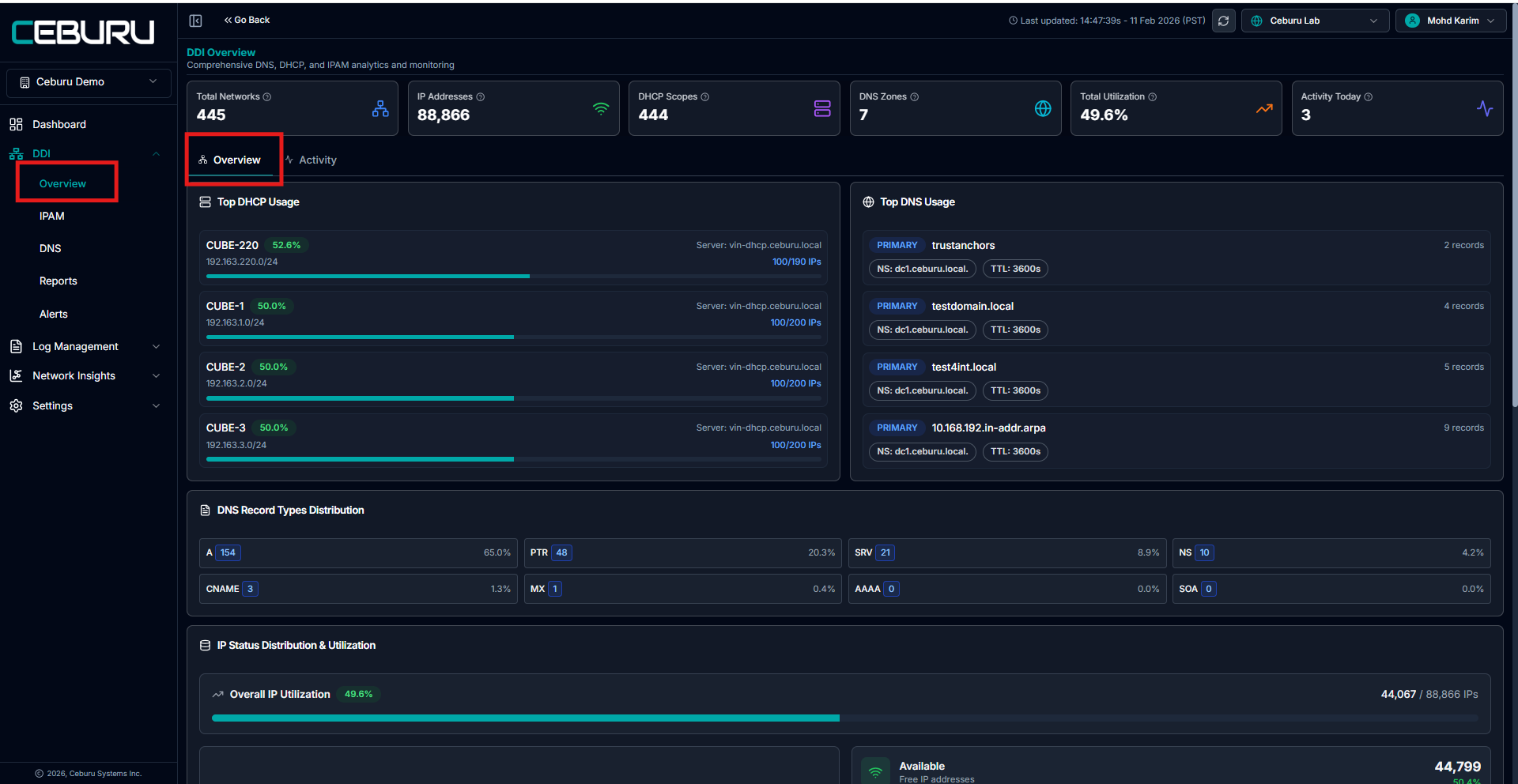
Top Summary Metrics:
At the top of the Overview page, key DDI metrics are displayed:
Total Networks: Total number of networks discovered and managed under IPAM.
IP Addresses: Total count of IP addresses available across all managed networks and scopes. This data is fetched directly from the configured DHCP server.
DHCP Scopes: Total number of active DHCP scopes configured and discovered from the selected DHCP server.
DNS Zones: Total DNS zones managed under DNS Management.
Total Utilization (%): Overall IP utilization percentage calculated across all scopes and networks.
Activity Today: Number of DDI-related actions performed today, such as refreshes, updates, or configuration changes.
Overview Tab
The Overview tab focuses on utilization and distribution insights.
Top DHCP Usage: Displays DHCP scopes with the highest IP utilization:
Shows scope name, CIDR range, and utilization percentage
Indicates the DHCP server from which the data is sourced
Helps quickly identify heavily used or near-capacity scopes
Top DNS Usage: Lists DNS zones with the highest activity:
Shows zone type (Primary)
Displays zone name, authoritative name server, and TTL
Indicates number of records per zone
DNS Record Types Distribution: Breakdown of DNS record types across all zones:
A
PTR
SRV
NS
CNAME
MX
AAAA
SOA
This helps understand DNS workload patterns and record composition.
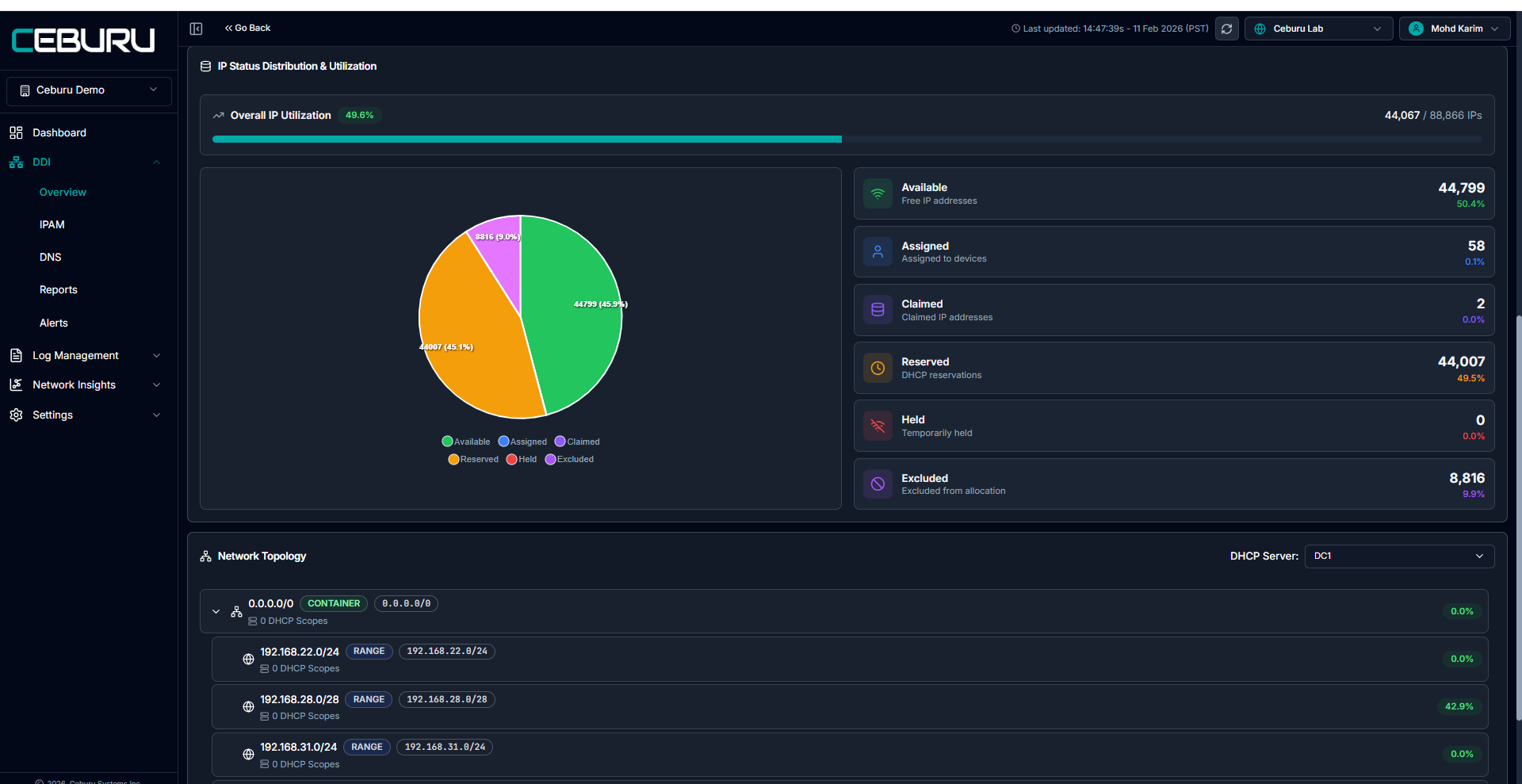
IP Status Distribution and Utilization: Provides a detailed visualization of IP address states:
Available - Free IP addresses
Assigned - IPs assigned to devices
Claimed - IPs manually claimed via IPAM
Reserved - DHCP reservations
Held - Temporarily held IPs
Excluded - IP ranges excluded from allocation
The Overall IP Utilization bar shows used versus total IPs across the environment.
Excluded IPs represent user-defined exclusion ranges and are not available for allocation.
Network Topology View: Displays hierarchical network and scope relationships:
Container networks
Network ranges
Associated DHCP scopes
Utilization percentage per network or scope
The topology view is filtered based on the selected DHCP server, ensuring all displayed data reflects the server’s actual configuration.
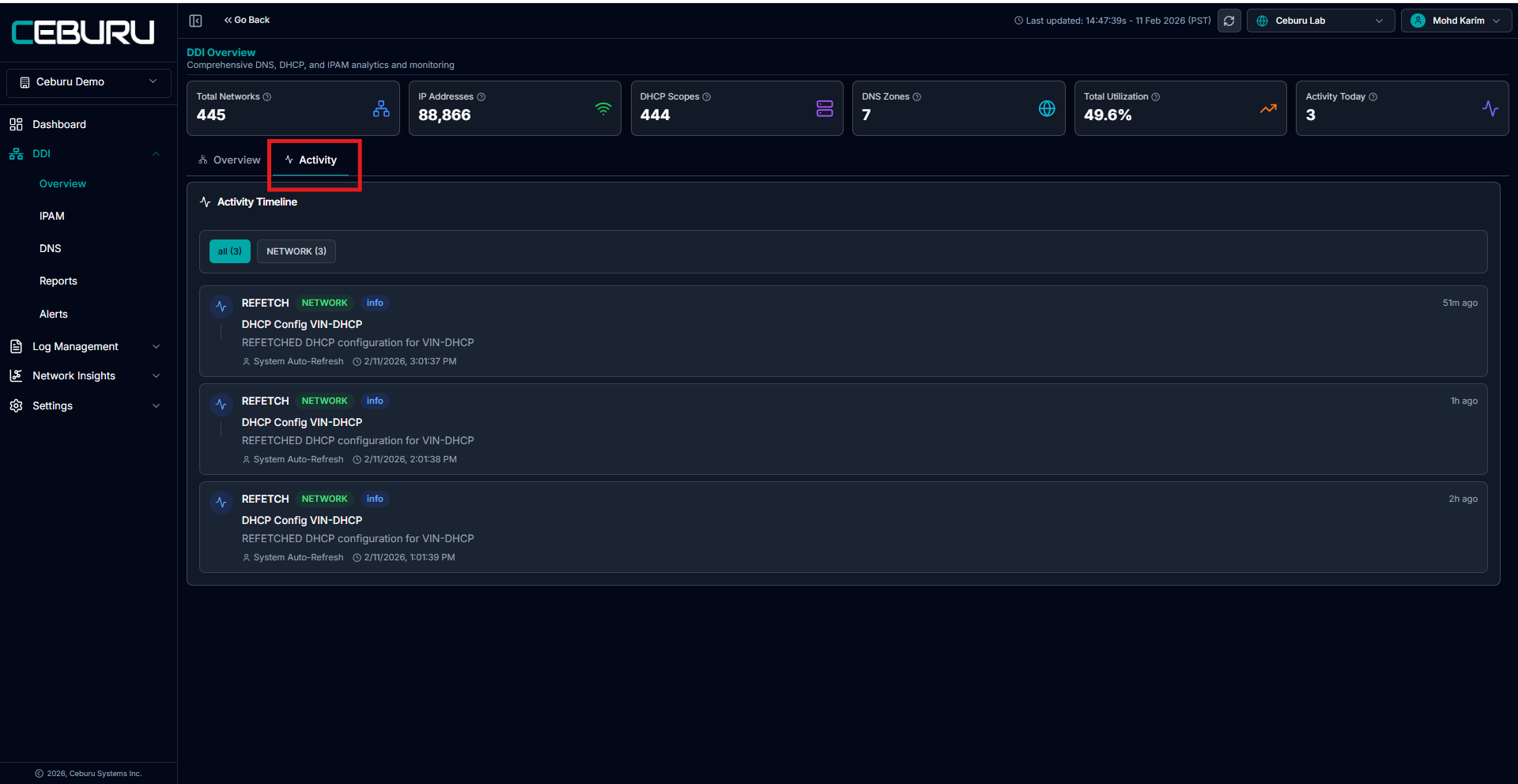
Activity Tab: The Activity tab provides a timeline of DDI-related actions.
Activity Timeline:
Shows chronological events such as:
Manual refresh operations
Auto-refresh executions
DHCP configuration syncs
Network or scope updates
Each entry includes:
Action type (for example, REFRESH)
Target system or server
Whether the action was manual or system-initiated
Timestamp
This helps with auditing, troubleshooting, and tracking configuration changes over time.
Key Notes:
All scope counts, IP totals, and utilization data are sourced from the configured DHCP/DNS server IP.
Manual refresh actions trigger immediate data synchronization
Auto refresh runs periodically
Was this article helpful?
That’s Great!
Thank you for your feedback
Sorry! We couldn't be helpful
Thank you for your feedback
Feedback sent
We appreciate your effort and will try to fix the article